Choose a lighting scene
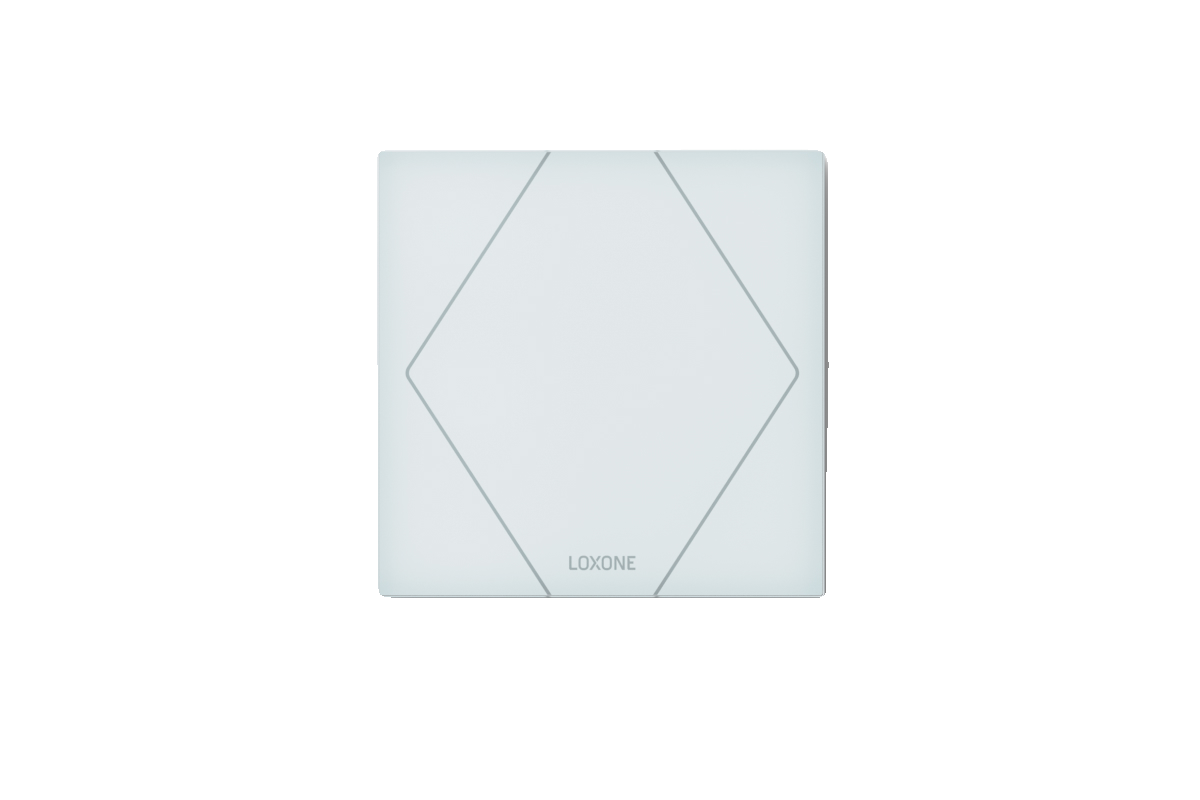
Tap the centre of a Loxone wall control to move through the lighting scenes configured for that room.
Download PDF 
Home automation handover
A clear guide to the lighting, climate, shading, audio, wellness, access and security systems.41A Carlotta Road, Double Bay NSW.

01 · Everyday controls
The automation handles most routines in the background. These wall-control shortcuts cover the moments you are most likely to adjust manually.

The assigned functions depend on the room. The Loxone app provides the same controls with more detail.
Tap the centre of a Loxone wall control to move through the lighting scenes configured for that room.
Use the upper and lower left touch points for shading. A normal press starts movement; use the opposite direction to stop it.
Use the upper and lower right touch points to raise or lower volume where room audio is installed.
Double-tap the centre touch point to switch off the room's active lighting scene.
On configured switches, a triple tap runs the assigned all-off, Night or Away action. The exact action depends on the switch location.
02 · How the home works
These behaviours coordinate multiple systems or explain how the home adapts over time. Use them as the starting point before adjusting individual functions.
Turns off the main lighting, activates soft pathway lighting and prepares the home for overnight comfort and security.
Places the home into its away state and supports security by coordinating lighting, blinds and the alarm behaviour.
Presence sensors help the home respond automatically by adjusting lighting and selected climate behaviour when a space is occupied.
The climate system learns how quickly each space heats and cools so it can reach target temperatures more accurately over time.
Central controls
Choose room scenes, adjust brightness and control colour where colour-capable fittings are installed.
Control blinds and curtains manually or allow the home to respond automatically to sunlight and temperature.
View room temperatures, adjust setpoints and allow the system to manage comfort and efficiency in the background.
Choose music sources, set room volume and group supported areas from the Loxone app.
Answer the intercom, manage supported entry points and monitor the alarm and access-control functions available to your user.

03 · Tailored features
Search or filter the guide, then open any item for a concise explanation of the controls and automatic behaviour available in your home.
04 · Loxone app & users
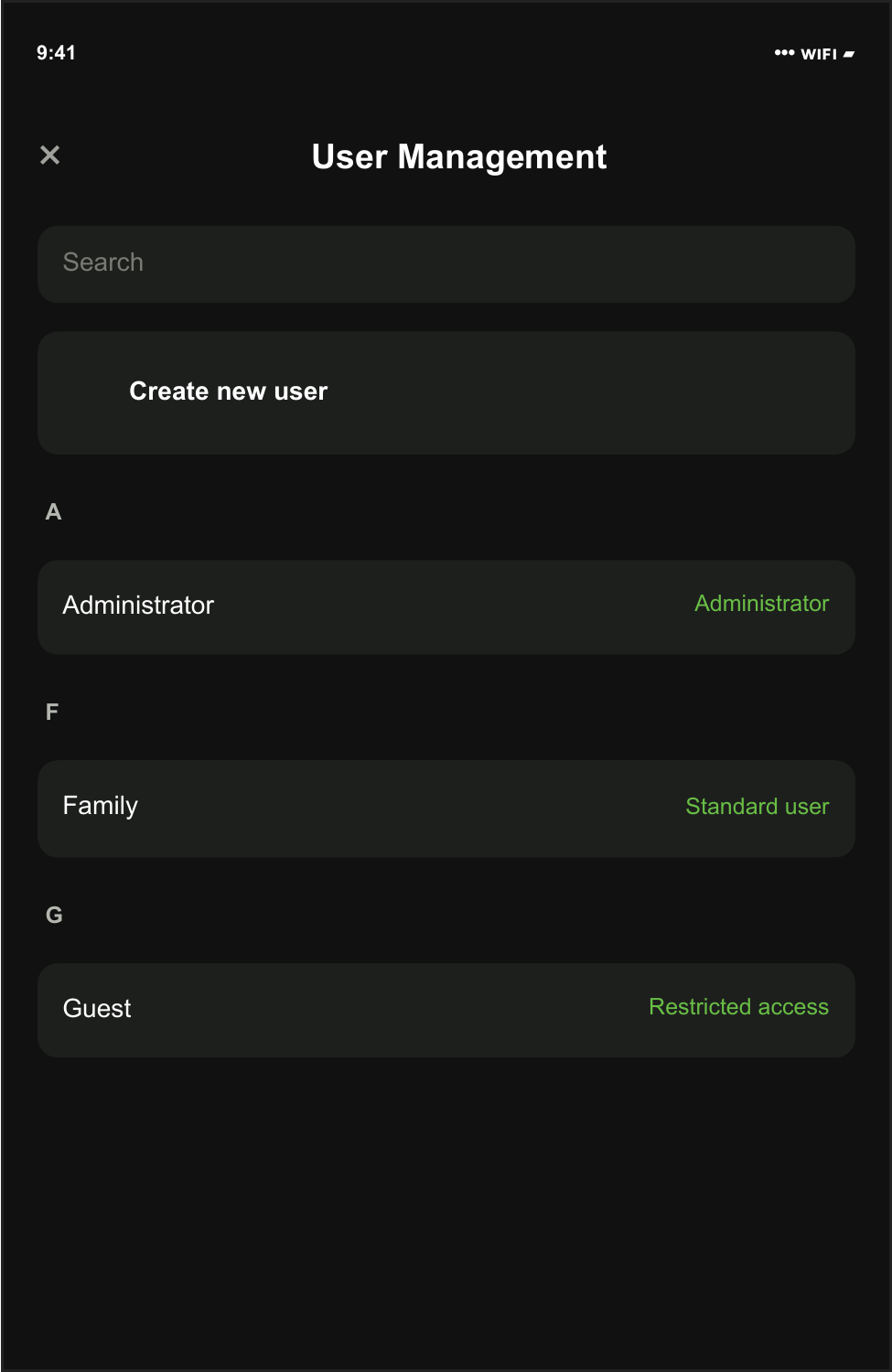
Administrators can add family, guests and service users. Keep every person separate so access can be changed or removed without affecting anyone else.
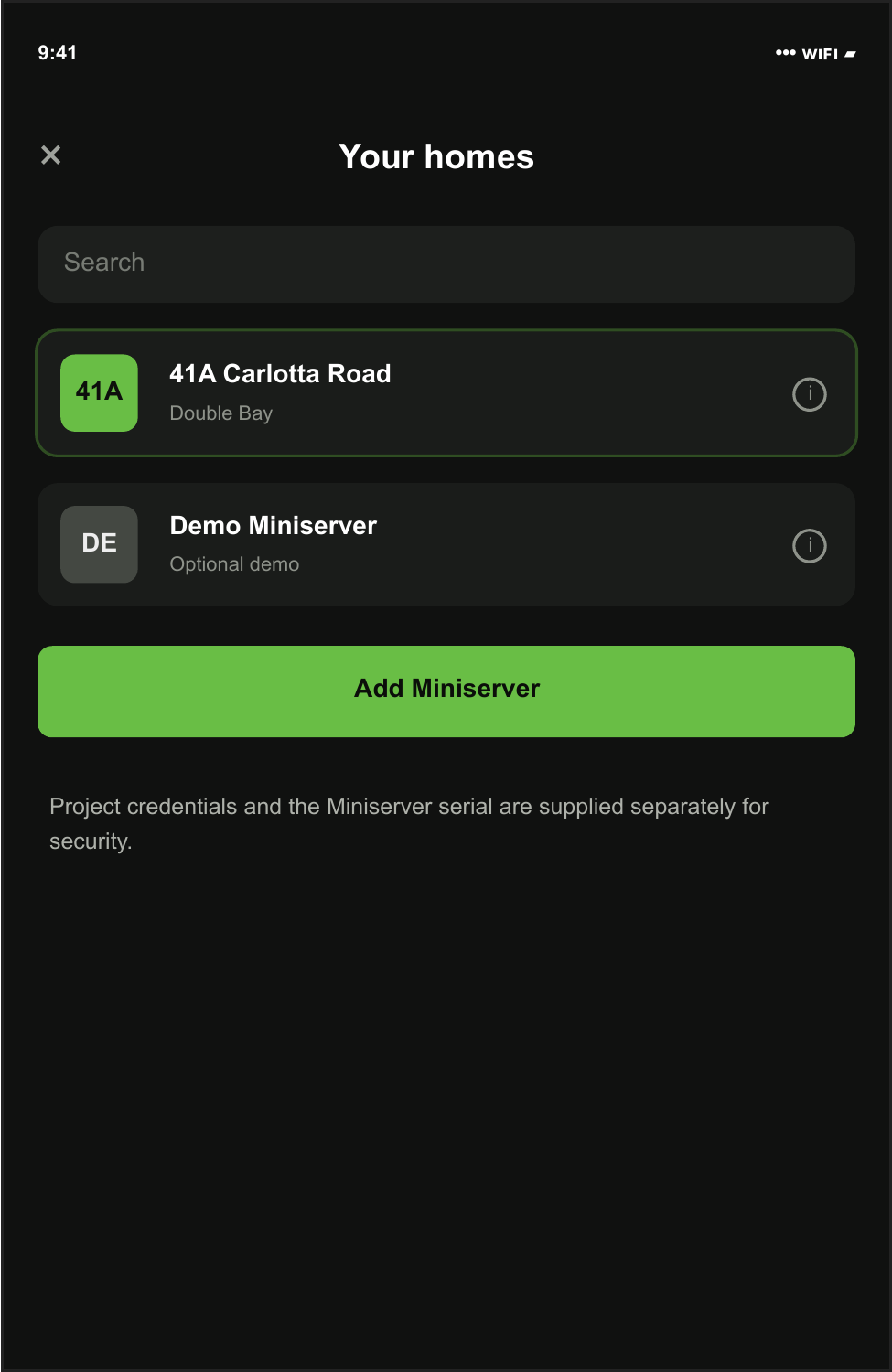
Open the Loxone app and select 41A Carlotta Road. If you are reconnecting a device, use the Miniserver serial supplied securely by Integratd Living.
Project credentials and the Miniserver serial are supplied separately for security.
From the main menu, choose User Management. Administrator access is required to add or change users.
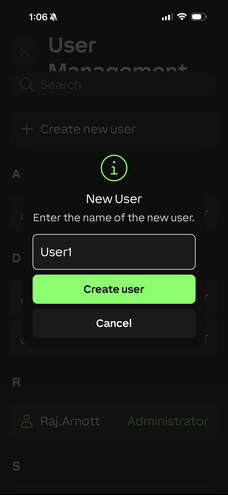
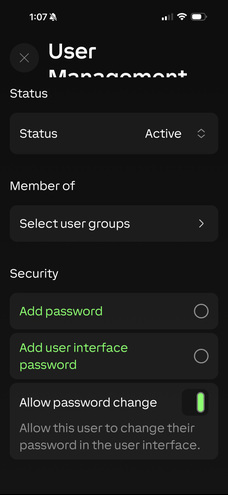
Choose Create new user, enter the person's name and keep the user active.

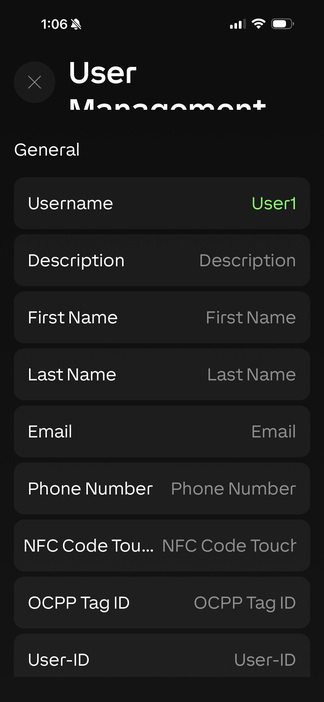
Add the person's email and phone number where required. This makes the account easier to identify later.

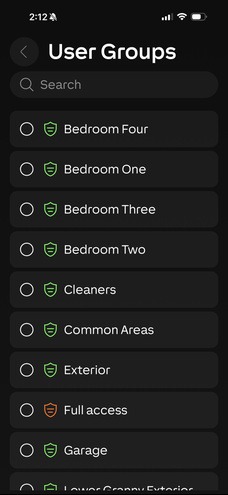
Select only the rooms and functions the person needs. Reserve administrator and full-access groups for trusted household administrators.

Add a strong account password. Add a separate user-interface password only when the user needs one.

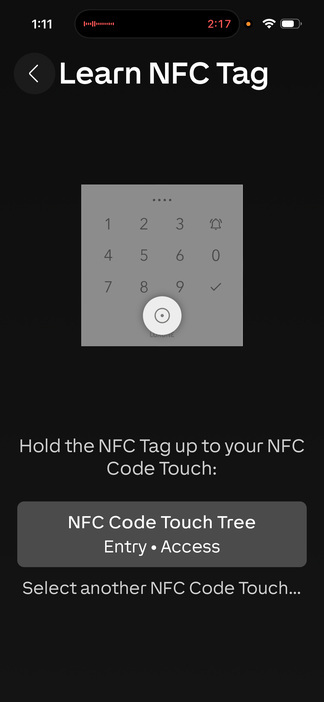
If door access has been assigned, create the person's unique code or learn their NFC tag. Never share one person's credential with another.

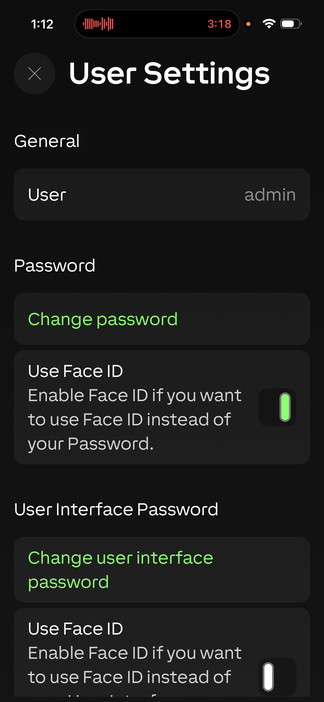
On the user's own device, they can change their password and enable Face ID from User Settings.

Administrator checklist
05 · Support
For assistance, note the affected room or system, what you expected to happen and what happened instead. A photo or short video helps us resolve the issue faster.
Before calling Check the same function in the app and confirm whether the issue affects one room or the whole home.
Let climate learn During the first weeks, small temperature overshoots are normal while the home learns each room.
Secure details Share serial numbers, passwords and access codes only through the secure method agreed with our team.